
Before you share your AI-built app: a go-live checklist
Check your AI-built app as a fresh visitor, confirm which version is live, and ask what can be undone before you send people the link.

Your app works in the preview. Before you send the link to customers, try it as someone who has never used it. Can they sign in, finish the main action, and recover from a mistake? A release is the version you put live. Ask your coding AI to check that version and explain what you can undo if something goes wrong.
Use the deployment tooling you already have. This checklist applies to a container service, a managed application platform or a conventional server, but the commands and permissions must come from your environment.
Know which version you checked
Record the revision or immutable artifact identifier. A tag called latest can move; a screenshot of a green build may refer to another commit. After deployment, confirm the serving version using the platform’s supported inspection method.
Keep runtime configuration separate from build assumptions. A canonical domain, an API origin, a feature flag or a permission can change the behavior of an otherwise identical image. Record secret references and access rules, never secret values.
Going back can leave changes behind
In a fictional export service, a worker starts writing status=ready where an older API expects status=complete. Reverting that API does not rewrite the records already created. The old version may hide finished files even though its health check succeeds.
The useful release question is whether the old reader can handle the new data and whether queued jobs will continue to use the new contract. A compatibility period may be needed: support both values, change the writer, and remove the old value later. That sequence is an illustrative approach, not a migration plan for a system we have not inspected.
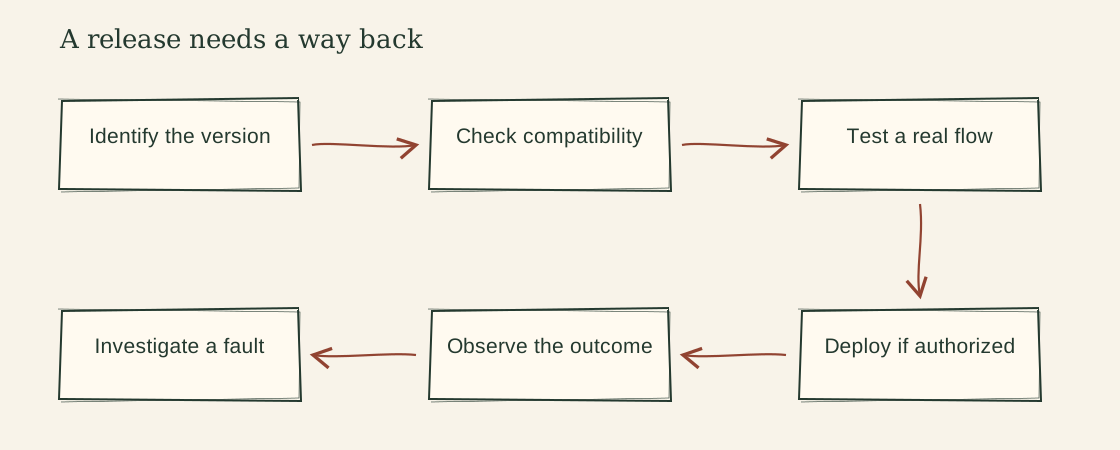
Copy the release record
Target environment:
Revision or artifact identifier:
Expected behavior change:
Existing deployment procedure:
Configuration and permission changes:
Data migration and mixed-version compatibility:
Synthetic customer flows to check:
Observation window and owner:
Stop condition:
Rollback or forward-fix procedure:
Data or external effects that will not roll back:
Actual results and remaining gaps:
The record can live in your existing release ticket. It does not need to become a new ceremony for every small edit.
Choose smoke checks that mean something
| Check | What it establishes | What it does not establish |
|---|---|---|
| Health endpoint responds | The checked health contract works | The customer can finish their task |
| Known synthetic export downloads | That fixture can complete its delivery path | Every export or private-data boundary is correct |
| Old and new records remain readable | The tested compatibility cases work | All historical records are covered |
| Serving artifact matches the release | The expected version is live | The version has no defects |
For a partial rollout, define the signal and comparison before looking at the outcome. Google’s canary-release guidance describes evaluating a limited exposure against a control. Your traffic, platform and failure costs determine whether that mechanism fits; a tiny site may lack the sample needed for a meaningful comparison.
Let missing evidence change the claim
If the environment is inaccessible, write “deployment not verified.” If a browser flow did not run, name it. If a production mutation is not authorized, prepare the check and procedure rather than executing it. When the release is already authorized, preserve that authorization instead of asking the same permission again.
Go-Live Check packages this worksheet with a compatibility example. Use Fix Finder when a post-release symptom needs investigation, and Change Tests when a discovered fault needs a lasting check.
References and further reading
The examples and templates above are original. These references support the definitions and documented behavior discussed in the guide.
What to read next

Your AI-built app broke. What should you ask next?
Help AI investigate a broken app using times, error messages and actions that failed, then add a check to catch the same problem next time.
Read the guide ↗
People visit your app but don’t finish. Where do you look?
Use your visitor numbers to find where people stop, check that the counts make sense, and choose one change to try before redesigning your app.
Read the guide ↗