Draw how your app works without getting lost in the details
Ask AI for a simple, editable sketch of one part of your app, with clear labels and gaps left visible instead of invented technical details.
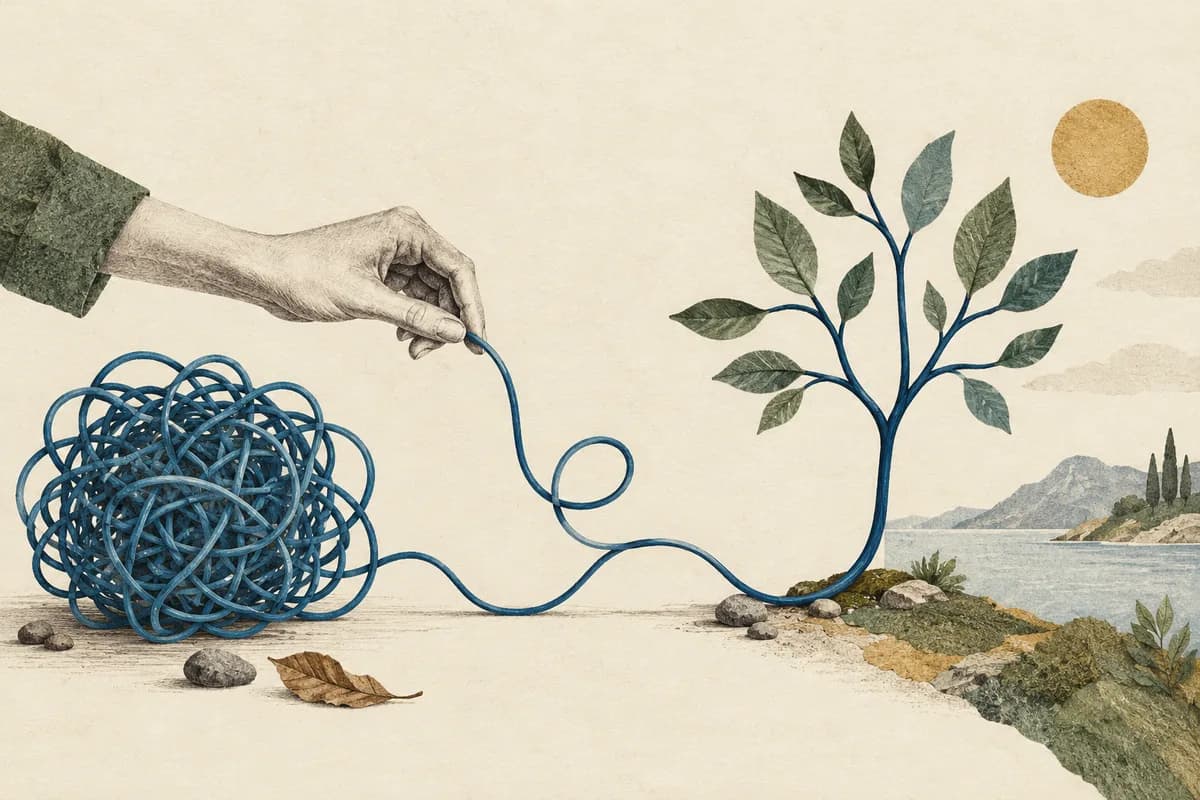
A sketch can make your app easier to understand than another long explanation. Start with one question: what happens after someone clicks Book? Ask AI to draw the steps you know about and label anything it still needs to check. You don’t need to know every service or database. Software architecture means how the parts of an app fit together; a useful first drawing can show just one journey.
Start by naming the reader and the question. “When can the customer download the export?” needs a different view from “which service owns the file?” or “what happens when a callback retries?”
Choose the view before the style
| Question | Useful view | What to leave out |
|---|---|---|
| What happens next? | Short workflow | Unrelated infrastructure |
| What happens before the timeout? | Sequence | Decorative architecture boxes |
| Who may access the data? | Trust-boundary view | Guessed permissions |
| Which transitions are allowed? | State diagram | Implied transitions with no evidence |
The sketch style is optional. Editable relationships and readable labels matter more than a hand-drawn finish. Use the diagram format your team can maintain; a small SVG or Mermaid source can be enough.
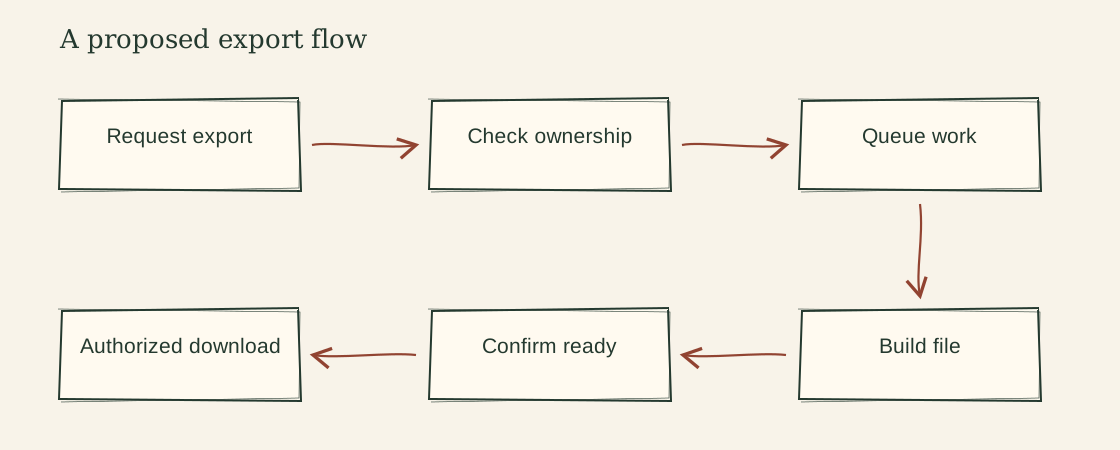
A proposed export flow
The fictional brief confirms a browser, an API and a worker. It does not name the storage technology. A first workflow can show request, ownership check, queued work, file generation, ready state and download. It should say that storage and retry ordering are omitted, and that download requires its own access check.
The picture is a proposal until the code or runtime evidence confirms it. Drawing an arrow does not establish that the call exists or is safe. Keep the evidence and open questions in a short note beside the diagram rather than using a dashed line with no explanation.
Copy a diagram brief
Question the diagram answers:
Audience:
Current system, proposal or illustrative example:
Supplied components and evidence:
Connections and what each arrow means:
Known ownership/trust boundaries:
Unknown or omitted details:
Existing diagram tool or format:
Equivalent text description:
If an assistant invents a component, remove it or explicitly mark it as a proposed option. “This architecture usually has Redis” is not evidence that your application does.
Keep the source editable
For a simple proposal, this Mermaid source preserves the order in text:
flowchart LR
  request[Request export] --> ownership[Check ownership]
  ownership --> job[Queue work]
  job --> file[Build file]
  file --> ready[Confirm ready]
  ready --> download[Authorized download]
The source is illustrative and does not establish the underlying implementation. Use a separate sequence or boundary view if the timing or ownership question cannot fit in this flow. Do not squeeze parallel operations into a line simply because the example uses one.
Check the drawing as a reader
Read every arrow aloud. Check that the caption conveys the same relationships without color or sight. Look at the labels on a narrow screen; a tiny label in a beautiful full-width image is still a tiny label.
Keep real private hostnames, customer records and secrets out of public images. If you use generated raster artwork for atmosphere, keep it separate from the technical diagram and inspect any text the generator produced. Illustration should not be mistaken for verified architecture.
The free Sketch Diagram includes an editable SVG helper and an example brief. Build Choices is useful when the drawing reveals an actual choice you need to make; Project Memory helps tie the proposed view back to repository evidence.
References and further reading
The examples and templates above are original. These references support the definitions and documented behavior discussed in the guide.
What to read next
How to explain your app idea before AI starts building
Turn a rough app idea into a short request your AI can work from, with a small first version and simple checks you can try yourself.
Read the guide ↗
AI built the feature. How do you check it works?
Check the actions people will actually try in your AI-built app, including repeated clicks, errors and private information. Bring your coding AI along.
Read the guide ↗